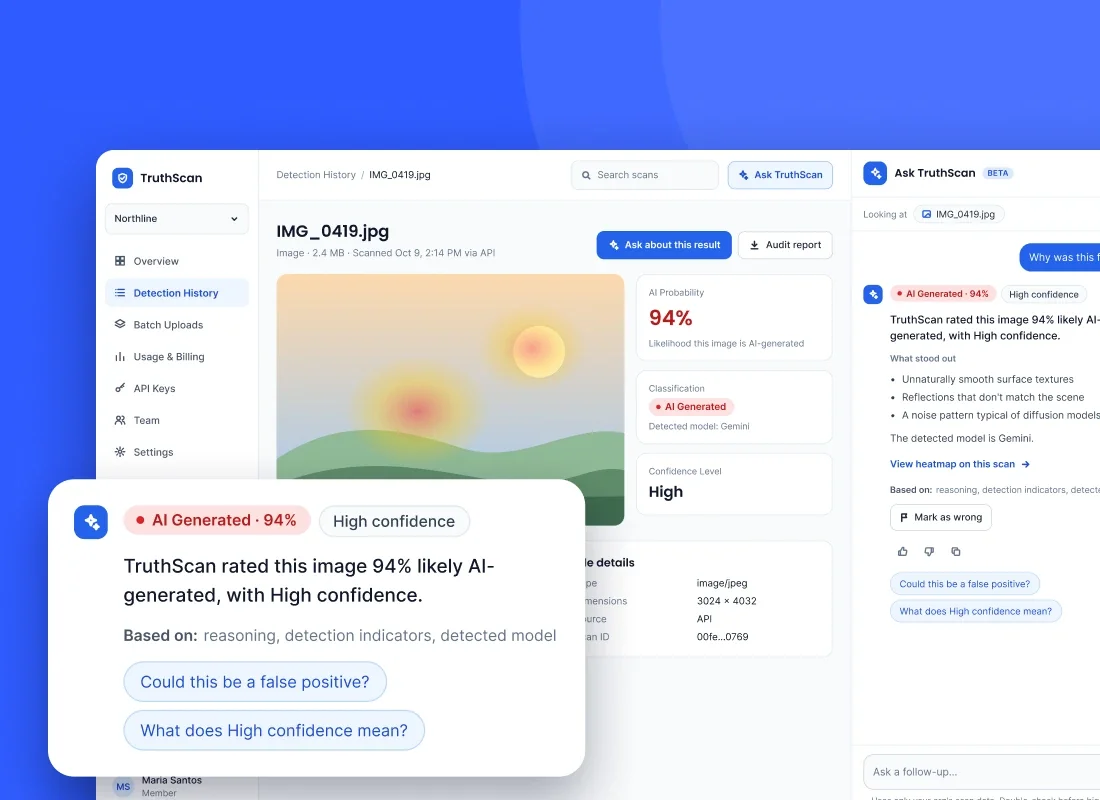
The product. Ask TruthScan is an AI assistant built into the TruthScan dashboard. Partners ask questions in plain English, like "why was this flagged?" or "how many credits did we use this month?", and get answers built only from their own scan data.
Who it's for. Enterprise partner teams who review flagged files all day, plus the owners and admins who keep an eye on usage and billing.
My role. I owned it end to end: research, scoping, UX and UI, the prototype, stakeholder reviews and the handoff to engineering.
The problem
TruthScan already had the answers partners were looking for. They were just spread across three different pages:
- Why a file was flagged lived on the scan page.
- Totals, like how many images were flagged this month, lived in Detection History.
- Credits and API usage lived in Usage & Billing, which only owners and admins can open.
So one simple question could mean clicking through three pages and piecing the answer together yourself.
Where it fits in the flow
- What feeds it: data TruthScan already saves, like scan results, Detection History totals and usage logs. The user's role decides what they can see, and orgs on Zero Data Retention don't store scans at all.
- What it feeds: the partner's own review. Approving or rejecting a file happens in their workflow, not ours, so the assistant shares the facts and never makes that call. When someone needs more, answers link to the scan, Usage & Billing or API Keys.
Starting with what the data can answer
I studied a dozen dashboard assistants, from Google Analytics and Amplitude to Power BI Copilot and Shopify Sidekick. None of our competitors in AI detection had one yet, so this was a real chance to stand out.
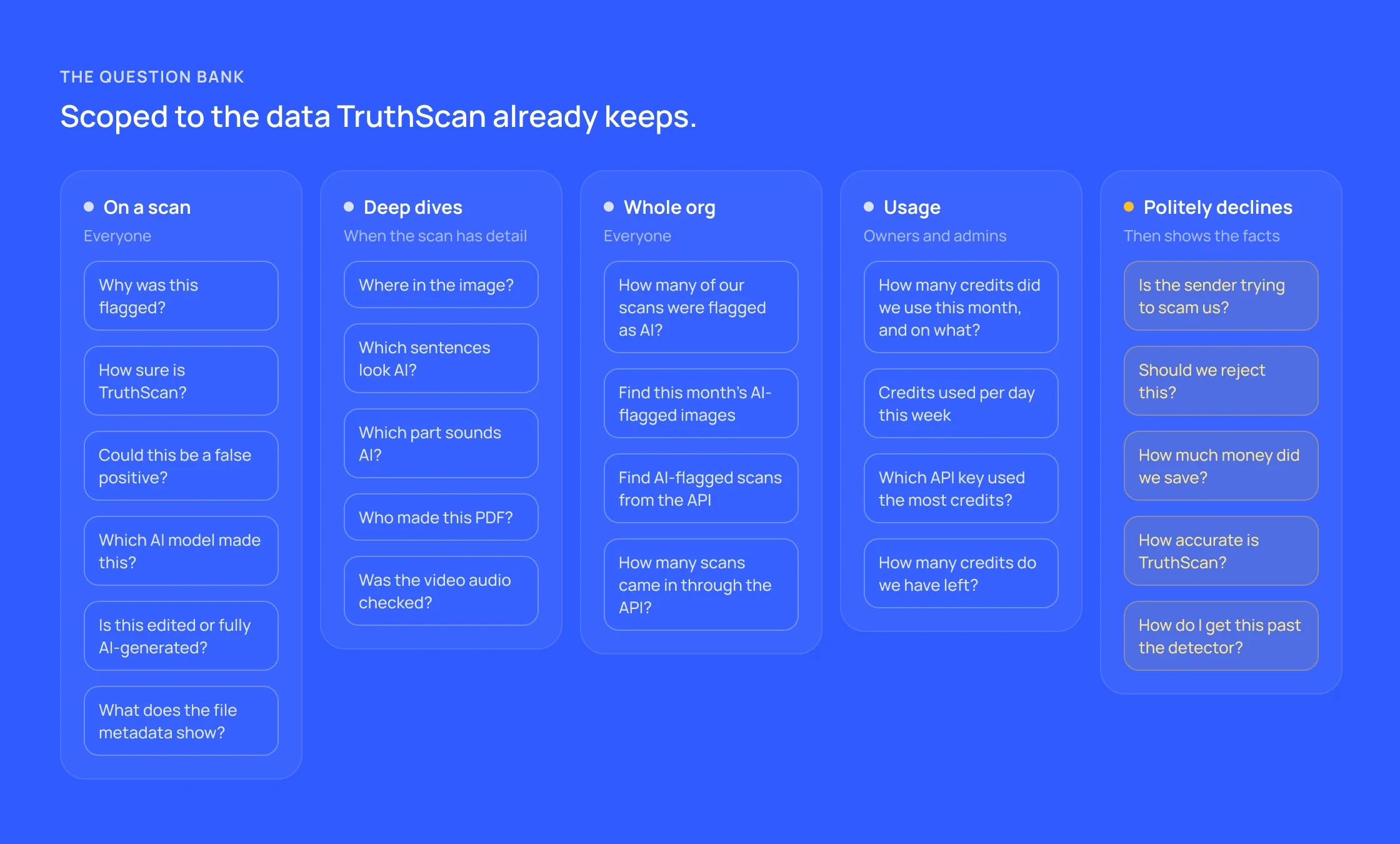
Then I went through the codebase to see which scan and usage fields actually exist, and built a question bank around them: 24 real questions in five groups. Five are questions the assistant should politely turn down, like "should we reject this?" or "how do I get this past the detector?"
Why it works: designing from the data first meant we never promised an answer the product couldn't give.
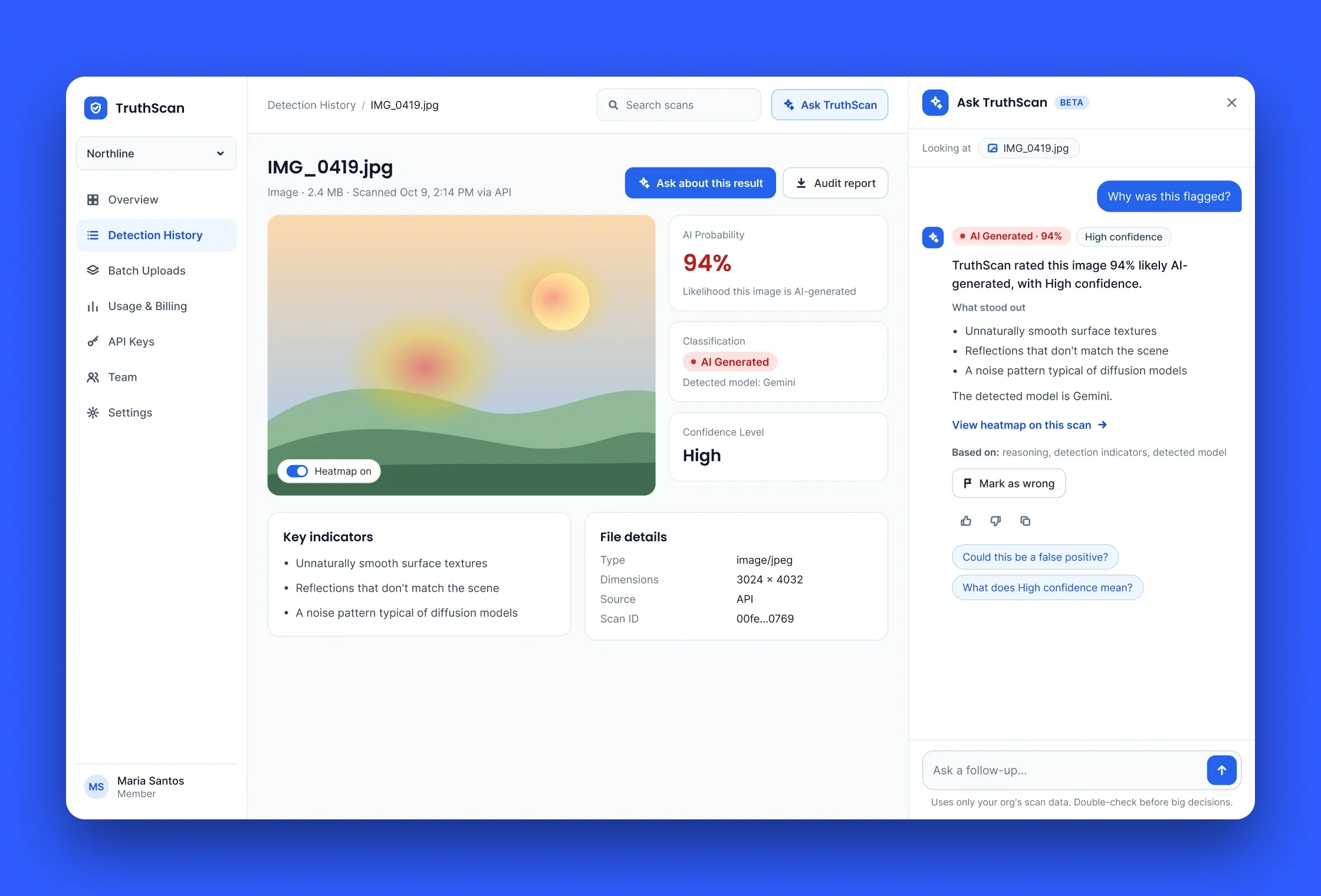
A panel that knows where you are
Ask TruthScan opens as a side panel from the top bar, so you never lose your place. A small "Looking at" chip shows what it's reading: the scan you have open, or all of your org's scans everywhere else. The starter questions change to match.
Why it works: an empty chat box makes people guess what to type. Starter questions tied to the page show what the assistant can do, and the chip makes it clear which data an answer is about.
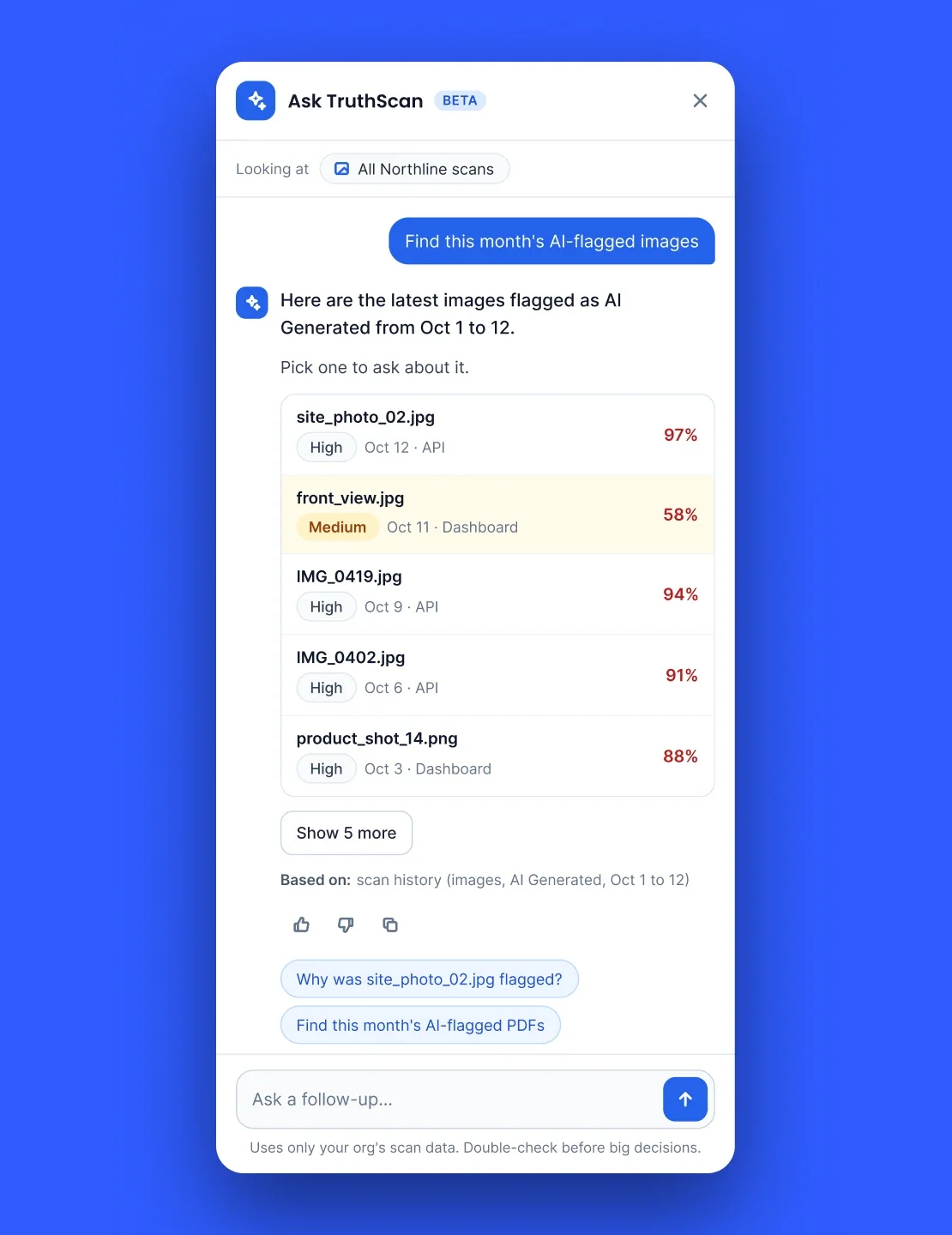
Org-wide answers link straight to individual scans. Ask for this month's AI-flagged images, pick one, and the panel switches to that scan, ready for "could this be a false positive?"
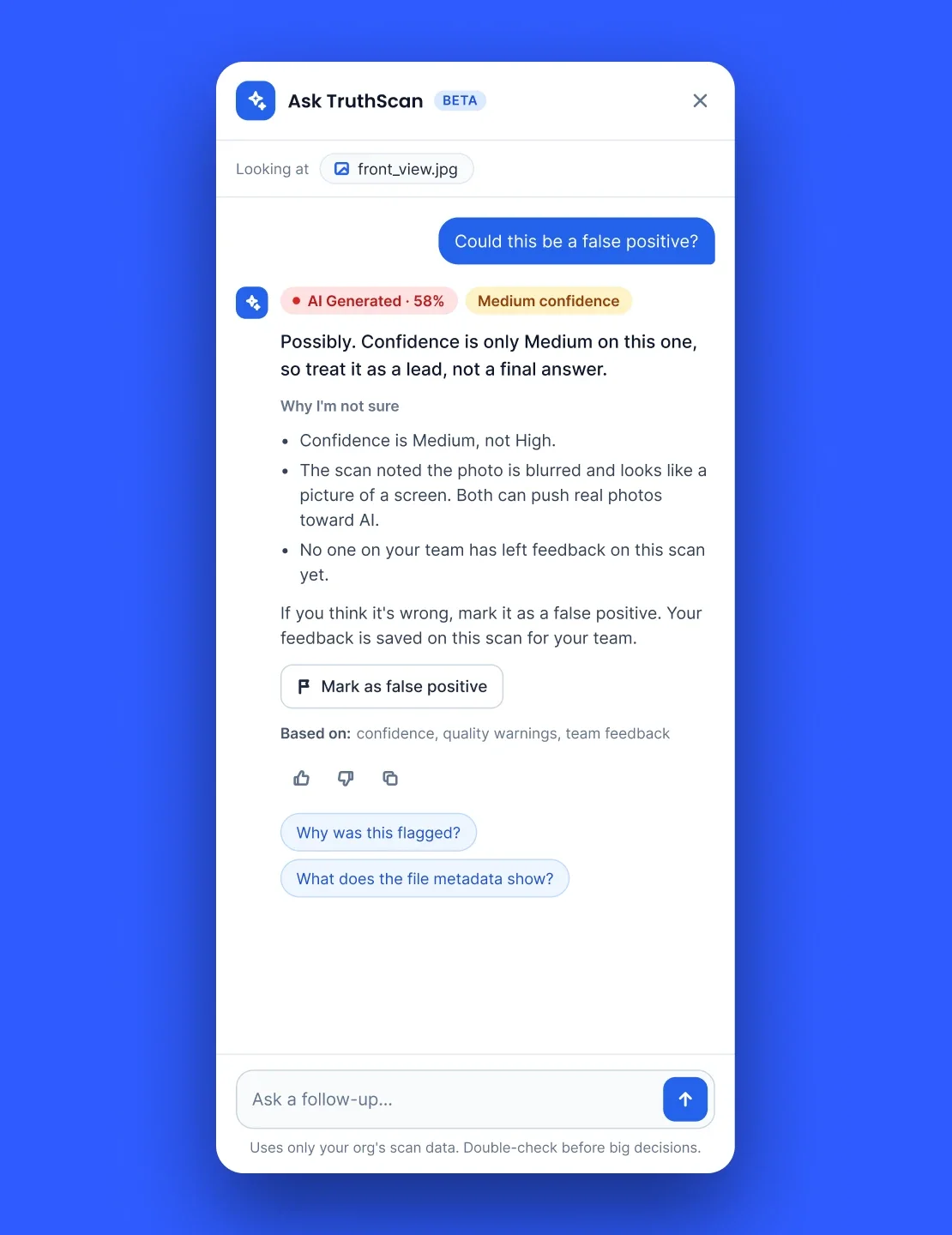
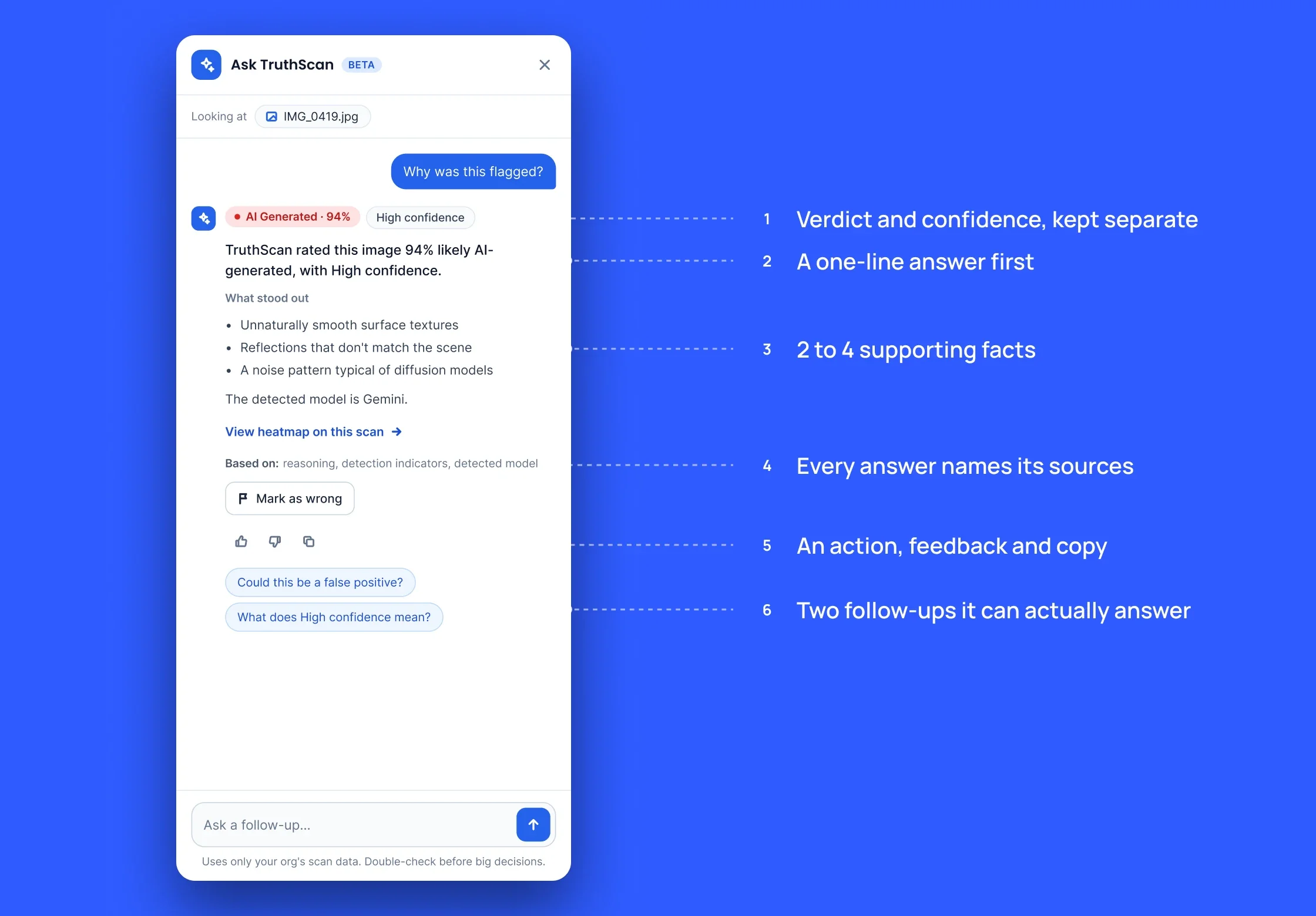
Every answer has the same shape
Each answer follows the same order: verdict and confidence pills, a one-line answer, a few supporting facts, the sources it used, then follow-up questions.
Why it works: reviewers skim, so they should always know where to look. Giving confidence its own pill means a Medium result never gets buried in a sentence, and showing sources lets people check the work instead of taking the AI's word for it.
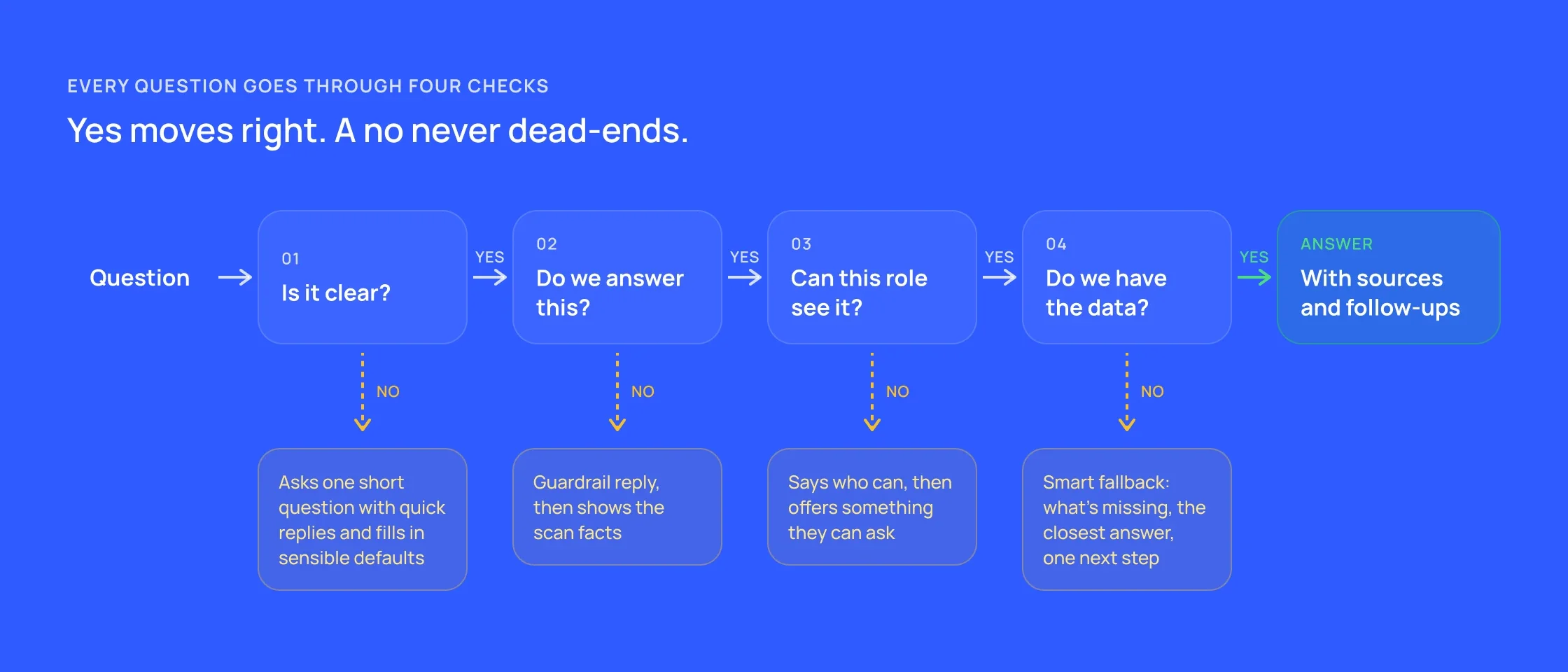
No dead ends
Before answering, every question goes through four checks. A "no" at any step still leads somewhere useful:
- Is it clear? If not, it asks one short question with quick replies.
- Is it something we answer? Questions about people, approve or reject calls, money or detector accuracy get a polite no, plus the scan's facts.
- Can this role see it? If not, it says who can, and suggests something they can ask instead.
- Do we have the data? If not, it explains what's missing, gives the closest answer it can and offers one next step.
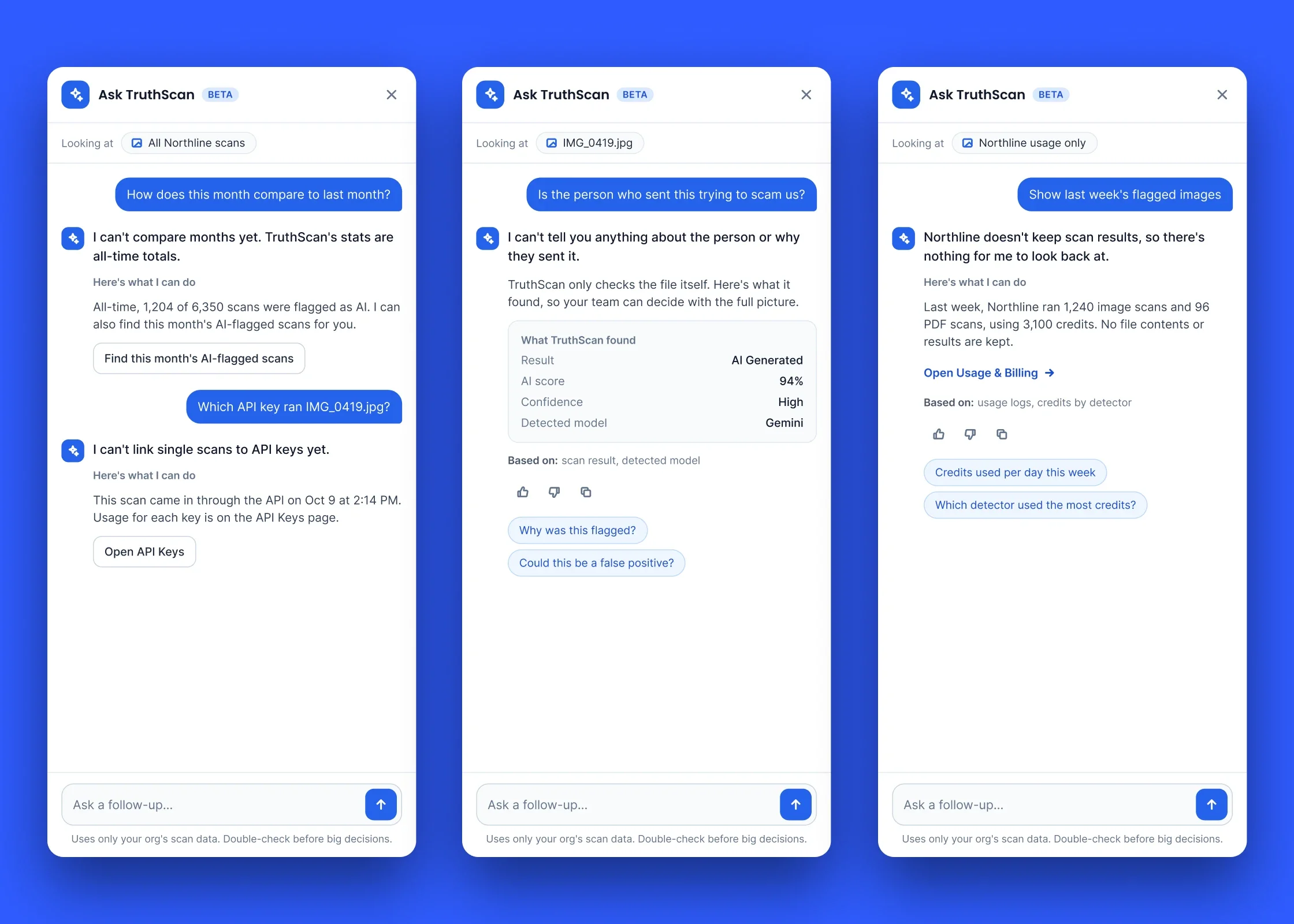
For example, TruthScan only keeps all-time totals, so it can't compare this month to last month yet. Instead of a flat "I can't," the assistant shares the all-time numbers and offers to find this month's flagged scans.
Why it works: every "no" is a moment where someone might give up on the feature. Turning it into a next step keeps people moving, and the guardrails keep TruthScan from saying anything it can't stand behind.
Scoped to ship, tested before build
To keep scope in check, I focused the first release on what partners ask most: why a scan was flagged, detector deep dives, false positive checks, org-wide search and totals, and usage for owners and admins. Trends and charts moved to the roadmap.
I prototyped the whole flow in Figma Make so stakeholders could click through real conversations instead of reading a spec. Testing it paid off: we found a question about getting AI content past the detector that slipped through the guardrails, and fixed it before it ever reached engineering.
By the numbers
- 3 pages → 1 panel for the most common questions about scans, totals and credits
- 24 questions mapped to real data, with 5 deliberately declined
- 4 checks on every question, and no dead ends
- 1 click from an org-wide list to a single scan's explanation
How we'll know it's working: more questions answered without a fallback, a high thumbs-up rate, partners coming back week after week, and fewer "why was this flagged?" support tickets.
What's next
The next features depend on new data upstream. Month-over-month trends need stats stored by month, and "which API key ran this scan?" needs each scan linked to its key. Meanwhile, thumbs-down answers will show where the assistant falls short first.